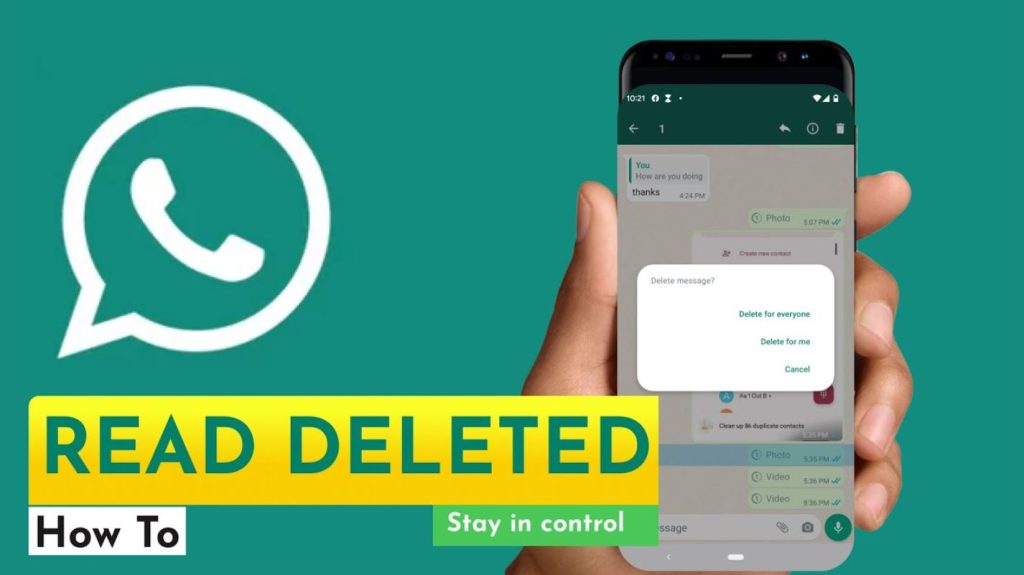
With the increasing use of WhatsApp Messenger, people are increasingly turning to GB WhatsApp due to its enhanced customization and privacy options. Among the most sought-after options in the current scenario is how to read deleted messages on GB WhatsApp. When a message is deleted using the “Delete for Everyone” option, curiosity is bound to follow. People are naturally curious about what the message said and if it is still possible to access it.
The good news is that GB WhatsApp has some extra features that might help the recipient view deleted messages under certain circumstances. In this guide, we will walk you through various ways of reading deleted messages on GB WhatsApp, along with some key privacy aspects.
Background: Why Deleted Messages Become an Issue
In the standard WhatsApp app, users can delete messages after sending them. When this happens, the recipient gets a notification stating, “This message was deleted.” The original message is completely erased from the screen.
This feature is helpful for:
- Correcting errors
- Removing accidental messages
- Securing confidential information
However, for the receiving party, the deleted messages become unavailable. This drawback has driven many users to look for a way to read deleted messages on GB WhatsApp, as the modded version provides greater functionality that is not available in the original version.
Method 1: Reading Deleted Messages Using Notification Logs
One of the most popular ways to read deleted messages on GB WhatsApp is by using the notification logs on Android devices. When a message is received, it triggers a notification. If notification access is allowed, your device may keep a record of the message preview.
Even if the sender has deleted the message, the notification log may retain a part of the original message.
Steps to Use Notification Logs:
- Access your phone’s Settings
- Search for Notification Log (dependent on your device)
- Access the notification history section
- Look for notifications from GB WhatsApp
- Look for the deleted message preview
Critical Information:
This is only possible if notifications were allowed before deletion
- Only displays partial text
- No access to media files (images/videos)
- Best used immediately after the message is deleted
However, this solution is only partially effective, particularly for longer messages.
Method 2: Enable Anti-Revoke Feature in GB WhatsApp
The best way to view deleted messages on GB WhatsApp is to enable the Anti-Revoke (Reverse Recall Message) feature built into GB WhatsApp. This is one of the most attractive features of GB WhatsApp.
When activated, this feature automatically saves a copy of the message regardless of whether the sender deletes it later.
How to Enable Anti-Revoke:
- Open GB WhatsApp
- Access GB Settings
- Click on Privacy
- Activate Anti-Revoke/Reverse Recall Message
After activation:
- Deleted messages will be visible in the chat
- You can view the original message
- Deleted voice messages will also be accessible
- The sender won’t know you viewed the deleted message
This feature is proactive, which means it has to be activated before the messages are deleted.
Viewing Deleted Media Files in GB WhatsApp
Deleted messages may contain media files such as images, videos, or audio files. Even if the message is deleted, the media file may still be present in the storage of your device.
Steps to Check Deleted Media:
- Open File Manager on your phone
Go to:
- Internal Storage > GBWhatsApp > Media
Explore the necessary folders like:
- GBWhatsApp Images
- GBWhatsApp Video
- GBWhatsApp Audio
- Look for recently received files
In some instances, media files are retained in the device cache even after deleting the message. This technique is particularly helpful if auto-download is enabled.
Limitations:
- Applies only when the media was auto-downloaded
- Files can be deleted by system clean-up
- Not applicable to all deleted data
Security and Privacy Risks
Though the functionality of reading deleted messages on GB WhatsApp is quite attractive, users must be aware of the associated security and privacy risks.
GB WhatsApp is not an official app, and as such, Meta (the parent company of WhatsApp) does not support it. Since it is a third-party modified version of the original app, there may be some associated risks.
Possible Risks Include:
- Vulnerabilities in data privacy
- No official guarantee of end-to-end encryption
- Malware risks if downloaded from unreliable sources
- Possibility of account suspension
- Exposure of personal data
Moreover, there could be some ethical issues associated with accessing deleted messages. The sender might have deleted the message for privacy concerns, and as such, accessing it could be a violation of their personal space.
Summary
The functionality of reading deleted messages on GB WhatsApp is one of the main reasons why users opt for the GB WhatsApp version over the original WhatsApp version. This is achieved through notification logs, the Anti-Revoke feature, and the manual checking of the media folder.
However:
- Notification logs contain limited previews
- The Anti-Revoke feature needs to be activated in advance
- The recovery of media is dependent on the download settings
- Security and privacy concerns also need to be taken into consideration
Leave a Reply